
Free Wiring Diagram Maker for 12V & 24V Systems
Draw a complete DC electrical diagram in your browser. Wire gauge and fuse size are picked for you, components match real hardware, and the diagram is yours to export, share, or print.
No signup required · Runs in the browser · Free forever
What you get
Component library, not blank shapes
Real DC components from real brands — Victron MPPT, Renogy chargers, BlueSea fuse blocks, LiFePO4 packs — with the correct voltages, currents, and connections preconfigured. Pick from the catalogue or define your own.
Automatic wire gauge sizing
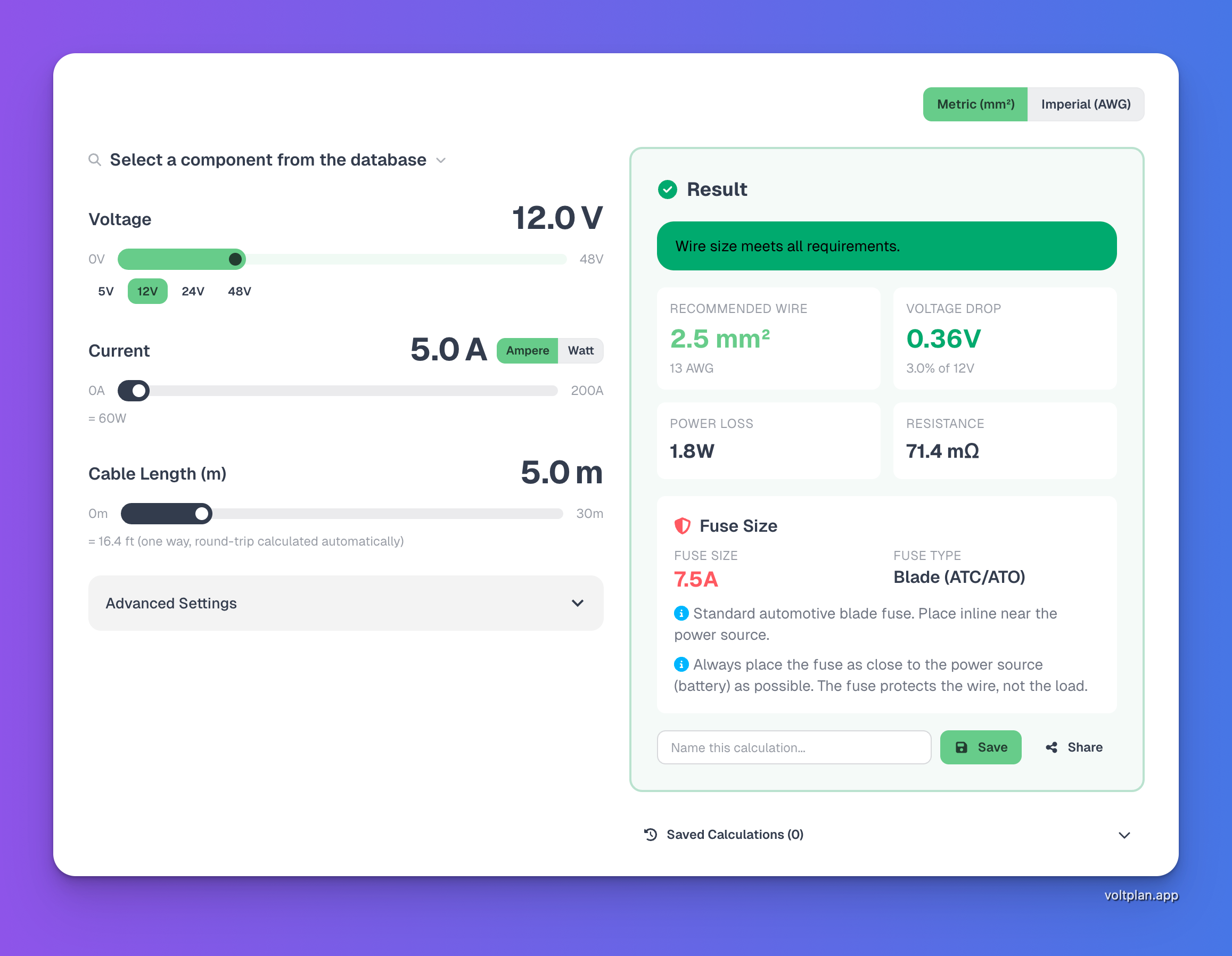
Every connection auto-calculates the required AWG or mm² from voltage, current, and cable length. No guessing, no separate spreadsheet. Hovering shows voltage drop and power loss.
Fuse recommendations built in
Each cable gets a fuse suggestion sized at 125% of continuous load and capped at the wire ampacity, with fuse type (blade, MIDI, ANL, Class T) matched to the current and use case.
Solar, charger, and inverter blocks
Drop in a 200 W solar panel, a 30 A MPPT, a 2000 W inverter — the diagram wires them up with the right protection. Series-vs-parallel solar wiring is handled visually.
Share read-only links
Send a live URL to your installer, your forum thread, or your future self. Read-only viewers see the diagram, the wire sizes, and the fuse table without needing an account.
PNG, SVG, and print
Export the diagram for permits, install paperwork, or to print and tape to the wall while you wire. SVG keeps the labels crisp at any scale.
Why a dedicated wiring diagram maker
Generic diagram tools draw shapes. A wiring diagram maker needs to know that a 2000 W inverter at 12V draws ~170 A continuous, and that any cable connecting it to the battery has to be 2 AWG (35 mm²) or heavier with a 200 A Class T fuse within 18 cm of the positive terminal. VoltPlan handles that automatically; draw.io cannot.
| Tool | Strengths | Limits for DC system design |
|---|---|---|
| Hand-drawn on paper | Free, fast for the first sketch. | No wire-size math. Hard to revise. Impossible to share electronically. Loses context the moment you put it down. |
| draw.io / Lucidchart / Visio | Free or cheap, infinite shapes, decent collaboration. | Generic boxes. No electrical knowledge. You still have to look up every wire gauge and fuse rating by hand. |
| EasyEDA / KiCad | Powerful for PCB-level schematics. | Steep learning curve. Aimed at circuit boards, not system-level DC wiring. Component libraries don't match RV/boat hardware. |
| VoltPlan | Built for 12V/24V system design. Real components. Auto wire-gauge and fuse sizing. Browser-based. Free. | Not for AC residential wiring or PCB-level schematics. Focused on DC system design. |
Who uses it
Camper / van conversion
Battery bank, MPPT, DC-DC charger, fridge, lights, water pump, inverter — one diagram covers the full van build.
See diagram →Boat / marine 12V
House bank, starter bank, shore-power charger, bilge pumps, chartplotter — with the right ANL or Class T fuses on every cable.
See diagram →Off-grid solar
Solar array, MPPT, battery bank, inverter — including the often-skipped step of confirming the MPPT input voltage matches the panel string.
See diagram →Tiny home / cabin
Hybrid AC and DC: shore-power inlet to an inverter-charger, battery bank, DC sub-panel for efficient lighting.
See diagram →How it works
- Pick a starting template or open a blank canvas. Templates exist for the common builds (camper, boat, off-grid solar) so you do not start from zero.
- Drop in components. The library has real Victron, Renogy, BlueSea, EcoFlow and generic blocks. Each one knows its voltage, current, and connection types.
- Wire them together. Drag from one connection to another — VoltPlan auto-picks the wire gauge and fuse from voltage drop, current, and cable length.
- Iterate. Change a load, swap a battery, add a second MPPT — the diagram re-sizes every cable in real time and flags any overloaded run in red.
- Share or export. Generate a read-only link for your installer or forum, or export to PNG / SVG for printed install docs.
Tools you can use alongside
Frequently Asked Questions
Is VoltPlan really a free wiring diagram maker?
Yes. The full diagram maker runs in your browser without an account. You can design, share a read-only link, and export to PNG or SVG without paying. Saving named projects on your account is also free.
What kinds of wiring diagrams can I make?
VoltPlan is built for low-voltage DC systems: 12V, 24V, and 48V camper, boat, marine, van, off-grid solar, and tiny-home setups. It is not aimed at residential AC wiring or industrial control panels. It does handle the AC side of a camper or boat where shore power feeds a charger or inverter.
Does the diagram maker pick wire gauges automatically?
Yes. When you connect two components, VoltPlan calculates the required wire gauge from voltage, current, and cable length using the 3% voltage-drop rule, then picks the nearest AWG / mm² standard size. Fuse rating and type (blade, MIDI, ANL, Class T) are recommended automatically based on the cable.
Can I export the wiring diagram?
Yes. You can export to PNG (for sharing or printing) or SVG (for crisp scaling and further editing). You can also share a read-only link to your live diagram — convenient for showing an installer or asking a question on a forum.
Do I need to install anything?
No. VoltPlan runs entirely in your browser. There is no desktop install, no plugin, and no Windows-only requirement. It works on macOS, Windows, Linux, and modern iOS / Android browsers.
How is VoltPlan different from generic diagram tools like draw.io or Visio?
Generic diagram tools draw boxes and lines but have no electrical knowledge. VoltPlan understands voltage, current, and wire-gauge math, so it picks the correct wire and fuse for every connection, flags overloaded cables, and warns about wiring patterns that would damage equipment (like solar panels missing a charge controller). Generic tools cannot do any of that.
Can I use the diagrams for a real install?
Yes — that is the point. The wire and fuse sizes come from standard DC sizing rules (125% fuse rule, NEC and ABYC-aligned ampacities). For boats and RVs in regulated jurisdictions, have your final plan reviewed by a certified marine or RV electrician before energising. VoltPlan is a design tool, not a substitute for code compliance.
Ready to draw your diagram?
The diagram maker is free, runs in the browser, and does the wire-sizing math for you. Open it and start with a blank canvas or a camper / boat template.
Open the Diagram Maker